Accounts
The Accounts page includes settings for account lockout and other related configurations.

Wrong Attempts
These settings allow accounts to be automatically locked out if there are a number of failed authentication attempts within a given time period. The lockout can be permanent or timed.

Username Settings
By default, usernames are masked in the web UI, both during login and on the Users page. This can be changed with the toggle.

Admin Settings
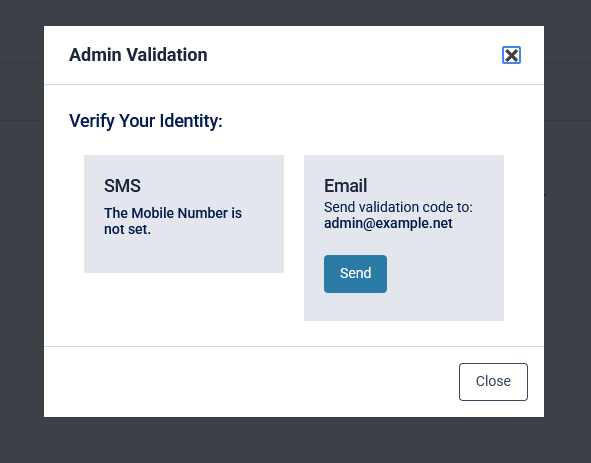
This setting enforces MFA when accessing the admin view on the platform. Once enabled, a popup will appear upon entering the admin view:
Automatically Lock Users
This setting will lock accounts that haven't logged in within a specified number of days.

Impossible Travel
These settings can be used to prevent authentication or revoke existing sessions based on IP geolocation and time. There are two scenarios for this:
- Existing session changes IP address (requires 'Enable Session Detection').
A logged in user-session changes IP address. The Impossible Travel feature compares the distance of the two GeoIPs and calculates the speed at which the session has travelled. If this speed is greater than the Maximum Allowed Travel Speed, the session is dropped. - Multiple Authentication Attempts (requires Conditional Access rule).
A user authenticates from an IP address in one location, then a short time later authenticates again from a different IP address. A Conditional Access rule that has 'Impossible Travel IP' as a condition compares the distance between the two GeoIPs, and the time between the first authentication and the second authentication attempt and calculates the speed at which the user must have travelled. If this speed is greater than the Maximum Allowed Travel Speed the Conditional Access rule will act accordingly.

The settings that determine what counts as impossible are 'Minimum Distance' and 'Maximum Allowed Travel Speed'. These can both be set in Imperial and Metric units.
The Trusted IP Addresses allows specifying IP addresses that will not be counted as part of impossible travel,
If remote users connect to a VPN, they might get flagged for travelling too quickly when they connect. Adding the IP address of the VPN will prevent this.