Token Management
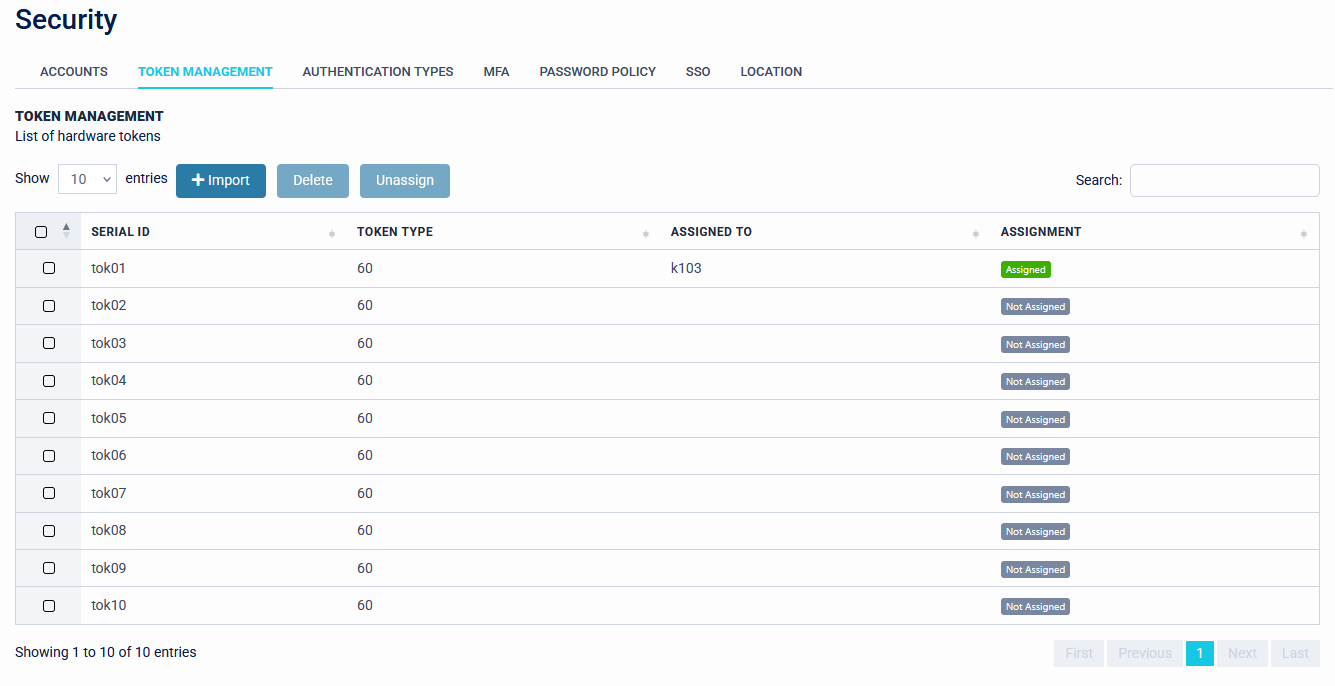
The Token Management page manages hardware tokens.
Import Hardware Tokens
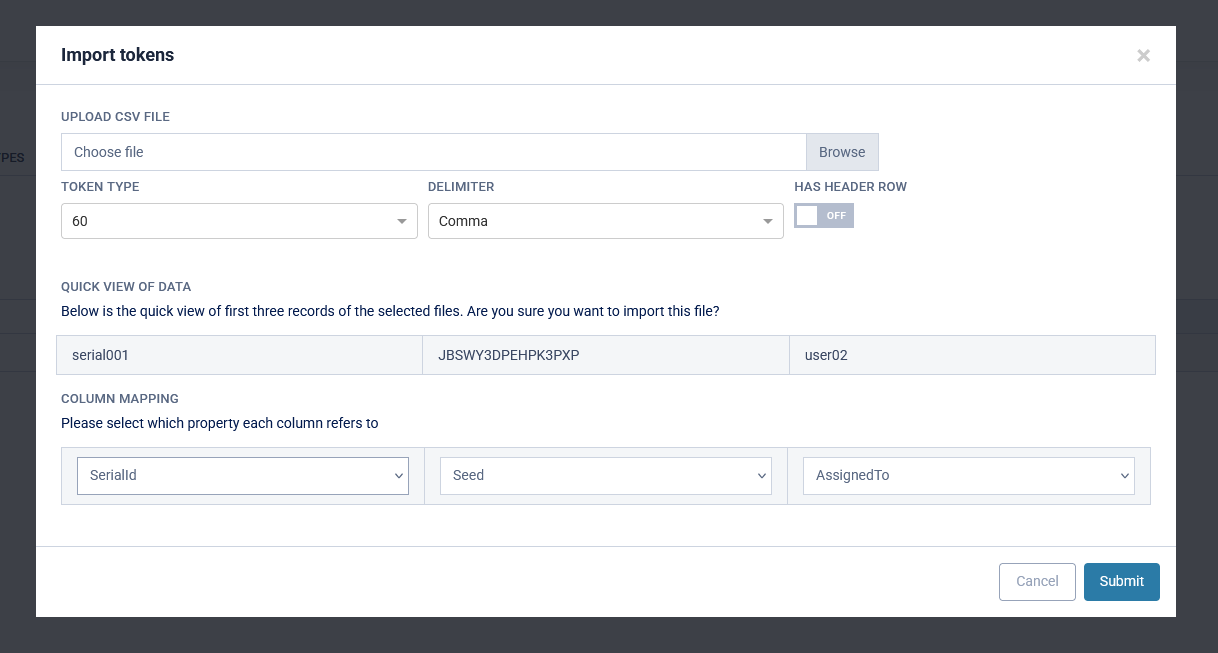
The Import button allows a file containing the hardware token information to be added to the system. The file can be delimited with a variety of characters. At a minimum we recommend that the file contains the Serial number and the Seed record for the tokens, however, other fields are permitted.
Seed records must be in Base32 format (per RFC 4648; characters A-Z and 2-7).
Automatic Assignment
Tokens can be automatically assigned to users if their username exists in the imported file and is mapped to the 'AssignedTo' field.
Once tokens have been imported they can be unassigned or deleted on this page. Unassigned tokens can be assigned in the 'Enrolment' section of a user's page.