Group Information

The information page displays configured groups upon the system. It will provide details about how the group was created and its status. Groups can be added manually in the WebUI or via a sync agent. Synchronisation can be to Microsoft Active Directory or other LDAP server, Microsoft EntraID, or Google Directory.

Groups - Information

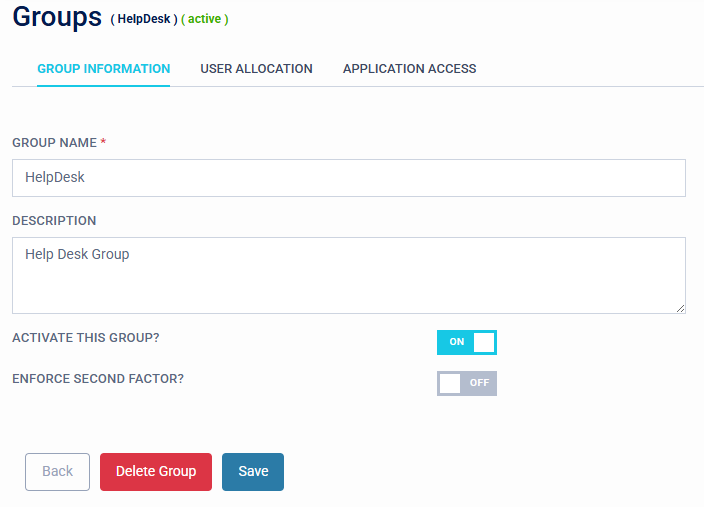
To manage a group simply select from this menu. The following screen is displayed:

Groups - Group Information

Options available:

  • Group Name
  • Description
  • Activate this Group ON/OFF
  • Enforce Second Factor
  • Delete Group
  • Save
Warning

If you synchronise group data from an external directory, take care and understand where the source of truth is referenced from. As you may inadvertently overwrite data in Microsoft Active Directory, LDAP, Microsoft EntraID or Google Directory.