Groups
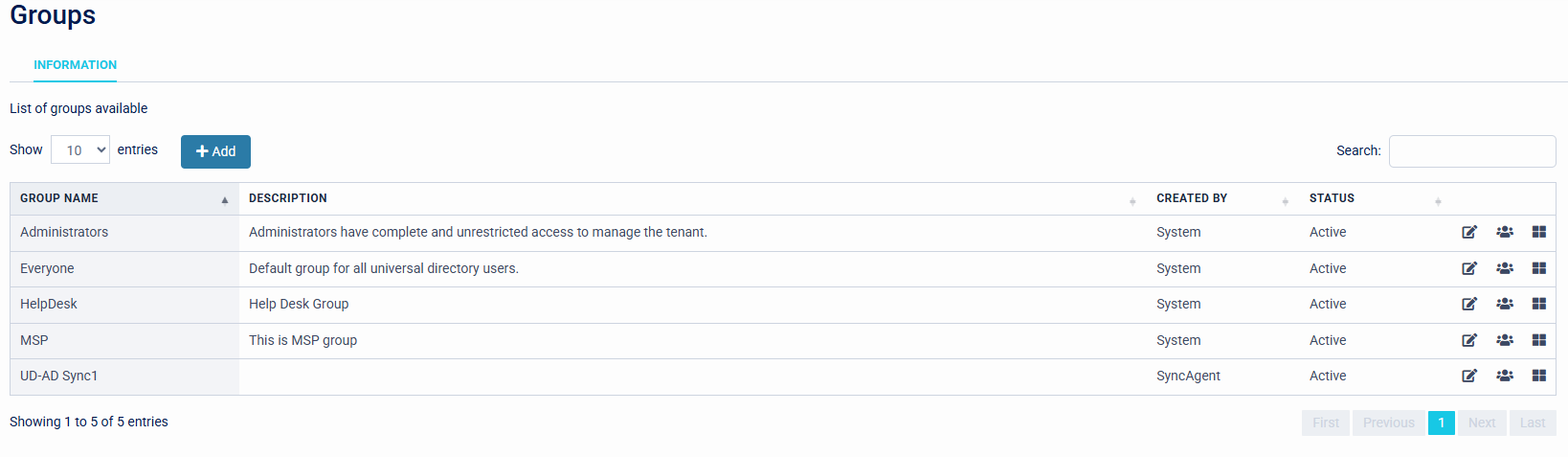
The Groups page displays a list of all existing groups, and allows groups to be created and managed. The list shows details about how the group was created and its status and description. Groups can be added manually in the WebUI or synchronised from Microsoft Active Directory or other LDAP server, Microsoft EntraID, or Google Directory.
The three icons at the right of the table allow you to jump directly to a specific page within the group's settings: Group Information, User Allocation, and Application Access.
Adding a group
To create a new group manually, click the 'Add' button and enter a name and description for the group.
This is a legacy feature and it is recomended to use conditional access rules instead
Clicking on a group in the list will enter the Group Information page and allow you to change the group details, assign users to the group, and allow the group to access configured applications.