AD-LDAP
LDAP Environment Integration.
Requirements
The installation of the Single Agent is required on a domain joined machine.
Note:
The configuration of the AD-LDAP directory does not modify the directory schema. The synchronisation of AD runs on a 30 second interval.
Configuration
To configure the LDAP configuration:
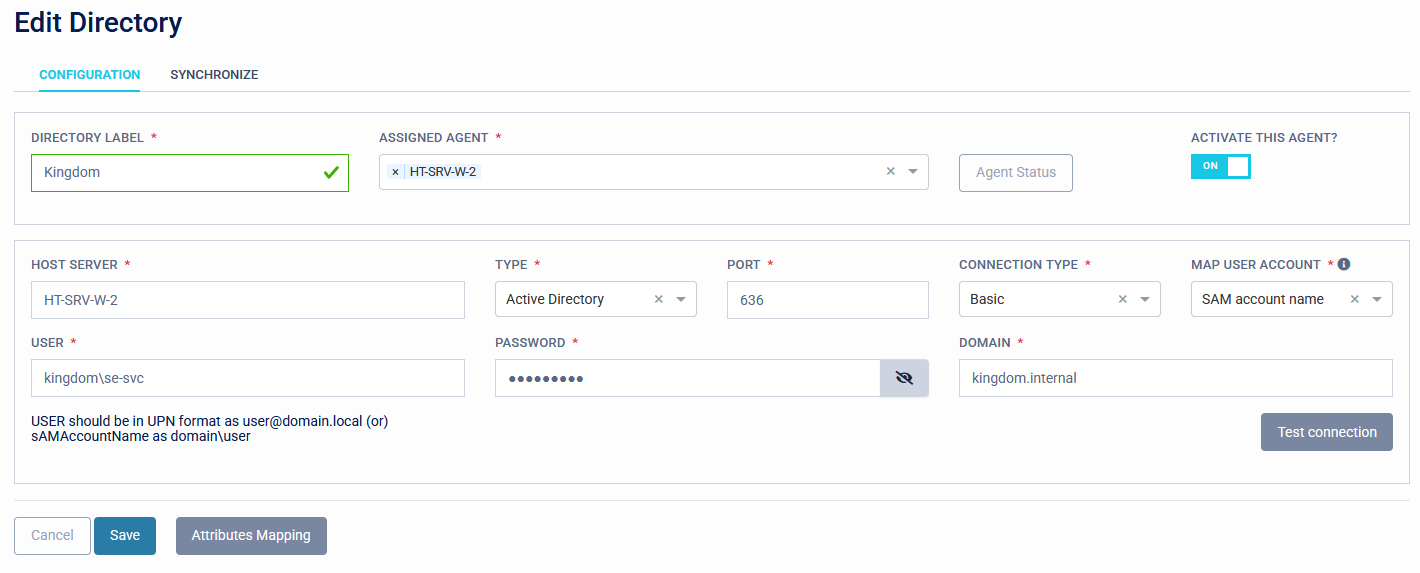
- Set the domain of the directory as the Directory Label.
- Set the Assigned Agent from the drop-down list of available Single Agents.
High Availability
Multiple Single Agents can be assigned to an AD integration for high availability.
- Activate this agent: Switch this on to enable the integration.
- Set the Fully Qualified Domain Name of the Host Server.
- Set the integration type: Active directory/LDAP.
- Set the port: 389/636. If you have configured TLS certificates for LDAPS this should be 636.
- Authentication Type: Currently this can only be set to 'Basic'.
- Choose the format to map user accounts. Sets whether to import users by samaccountname or UserPrincipleName.
- Set the service account name. This account needs to exist in the directory with read permissions.
- Set the service account password: Domain service account password.
- Set the Fully Qualified Domain Name of the directory.
- Test the connection. This will check that the service acccount details can read the directory.
Synchronise
Set which AD User accounts and groups are imported into Access Management.
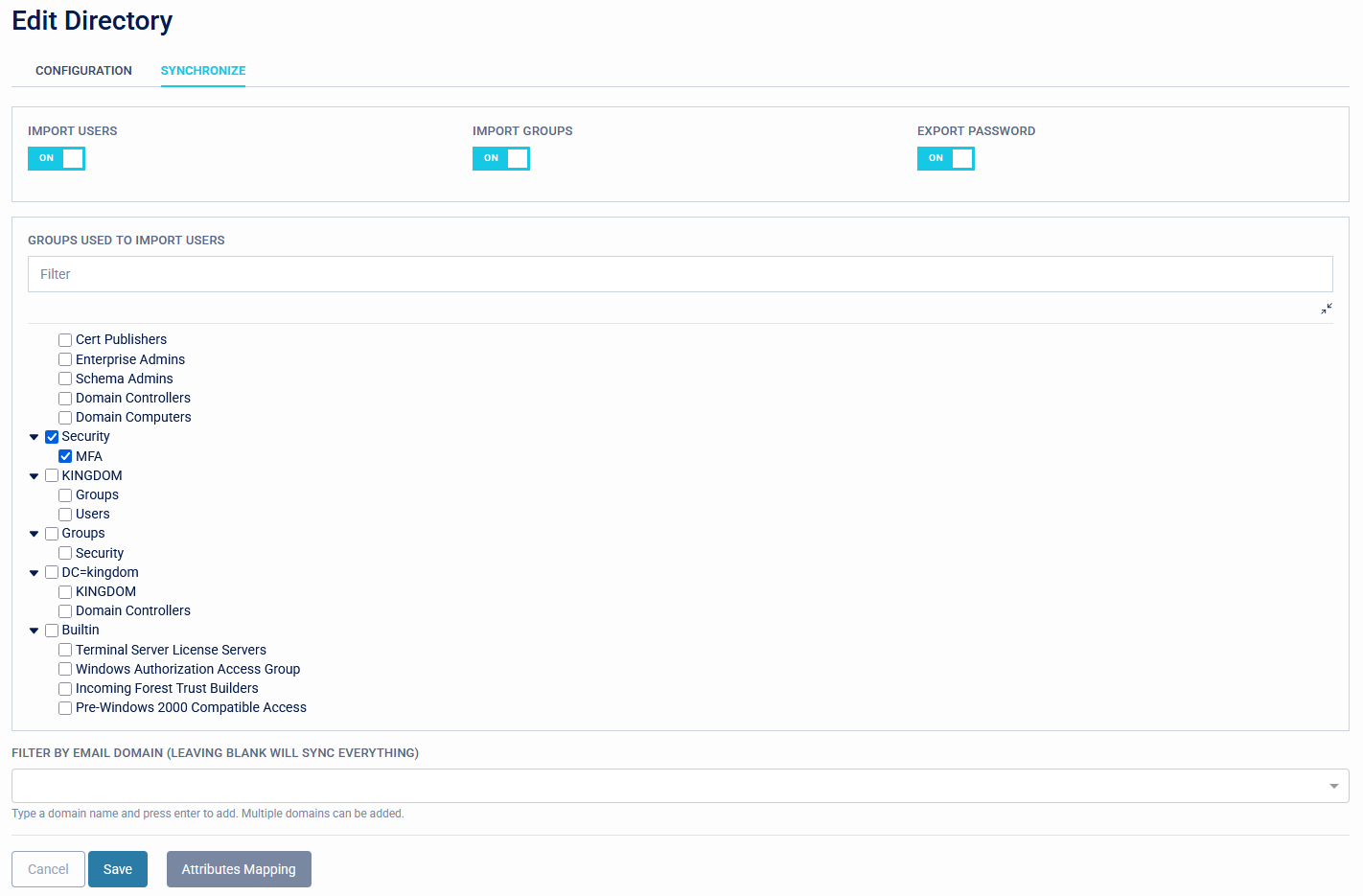
Synchronised users and groups can be viewed by navigating to the "Management" page.