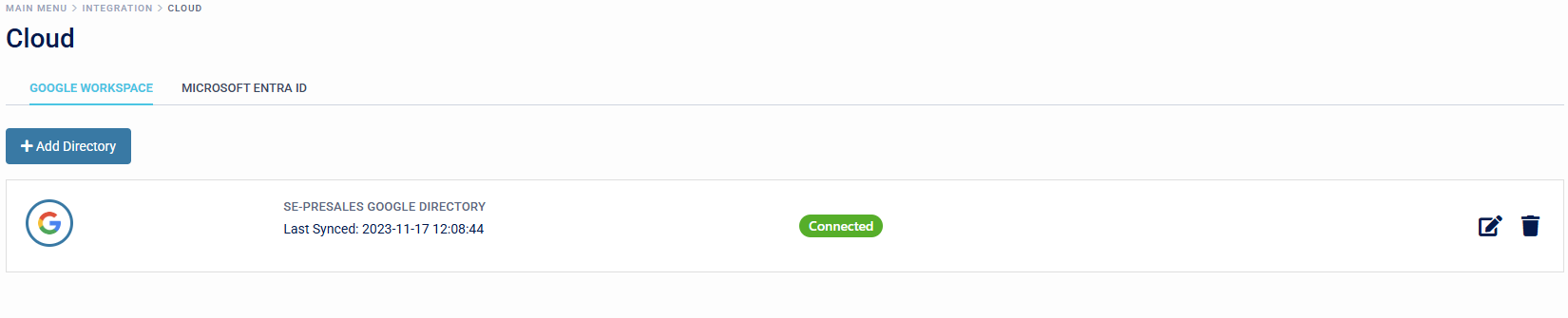
Google Directory
Overview
SecurEnvoy Access Management has the capability to integrate into Google Directory via API. Bi-directional synchronisation of users and attributes is available.
Due to the nature of the API integration with Google Directory, SecurEnvoy is unable to verify directory passwords from Google Directory to SecurEnvoy Access Management. Users will be imported to the SecurEnvoy Access Management Platform with a temporary password, which is required to be reset at first login to the platform.
Integration
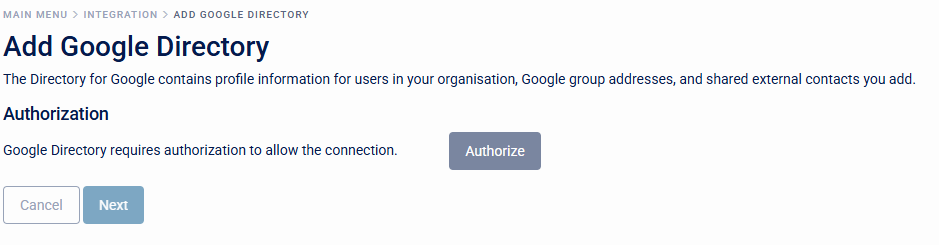
- To add a Google Directory connection, this requires Authorization from an Administrator of the tenant. This can be done by clicking the "Authorise" button.
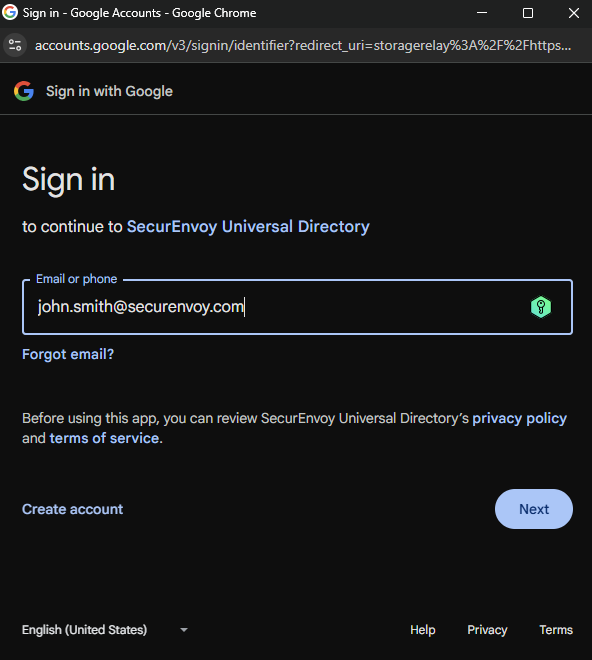
- Sign into the organisations Google Directory Administration account via the sign in prompt to continue with the SecurEnvoy Universal Directory integration.

- The SecurEnvoy Google Directory tenant is not verified within Google, so the SecurEnvoy Team must manually grant access to each organisation wishing to use the application. To request access, organisations should submit a support ticket to support@securenvoy.com, including the tenant name and administrator email address. Once received, the SecurEnvoy will add this information to enable integration with Google Directory.
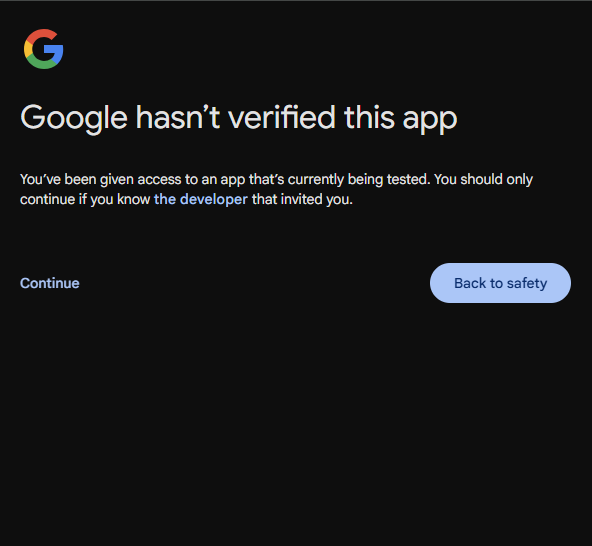
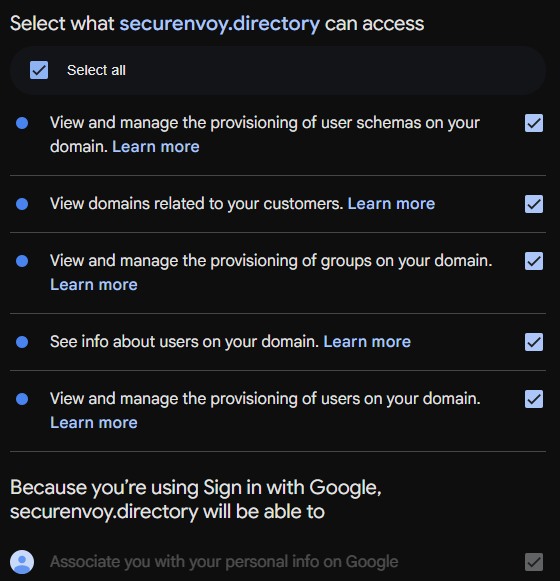
- Review access permissions for SecurEnvoy Universal Directory to successfully integrate with the organisation's Google Directory.
- The Administrator will be redirected back to SecurEnvoy Access Management and will see that the directory integration has now been "Authorised".

- Organisations can set up a Directory Label Name for the Google Directory Integration.

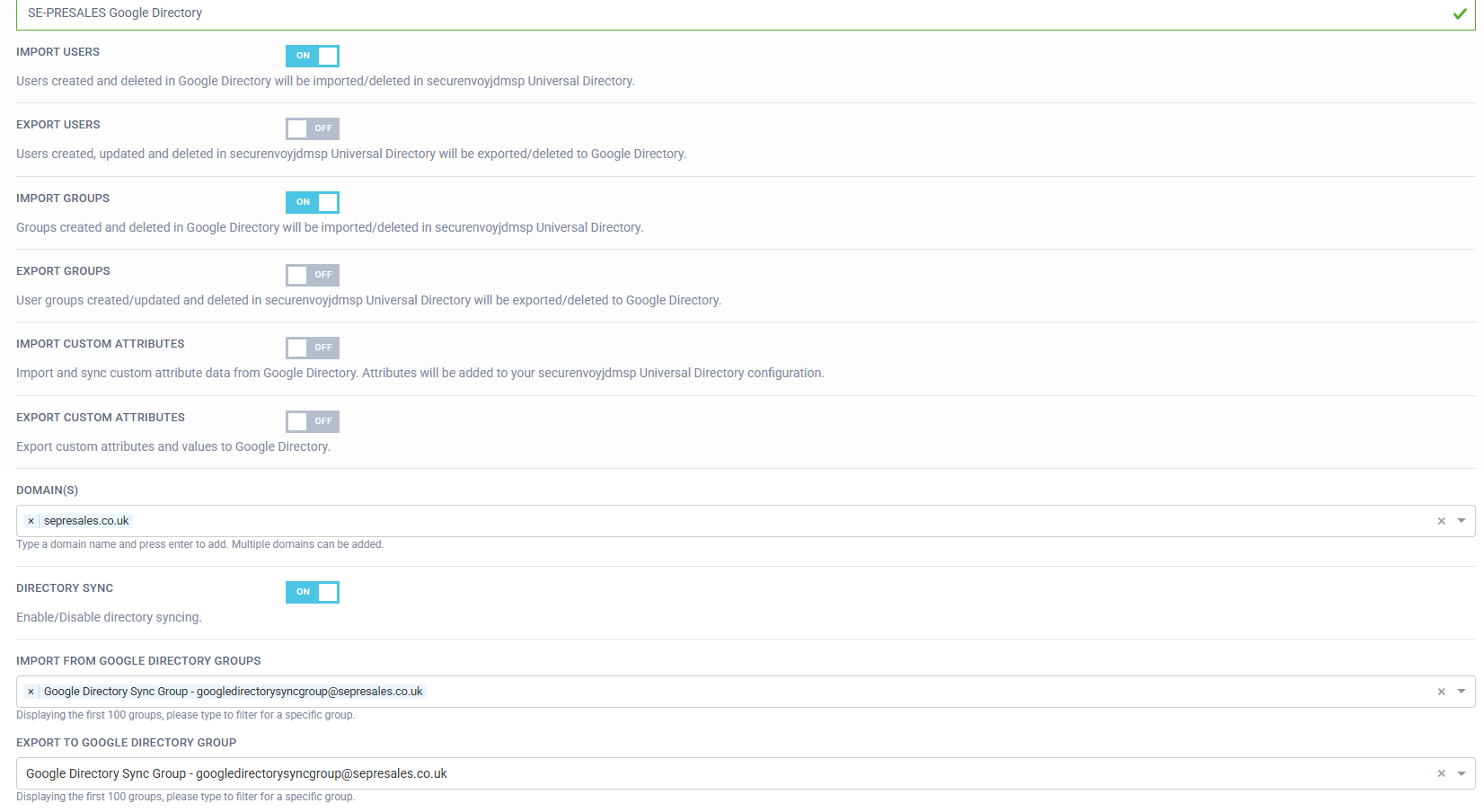
- Configure the Directory Integration to suit the Organisations requirements:
- Import Users: User Import, Update, and Deletion events in Google Directory will be reflected in the Access Management Tenant.
- Export Users: User Export, Update, and Deletion events from Access Management will be reflected in the Google Directory.
- Import Groups: Group Import, Update, and Deletion events in Google Directory will be reflected in the Access Management Tenant.
- Export Groups: Group Export, Update, and Deletion events from Access Management will be reflected in the Google Directory.
- Import Custom Attributes: Custom Attribute Import, Update, and Deletion events in Google Directory will be reflected in the Access Management Tenant.
- Export Custom Attributes: Custom Attribute Export, Update, and Deletion events in the SecurEnvoy Access Management Tenant will be reflected in the Google Directory.
- Domains: Specify the Domain Name(s) the organisation would like to import into the Access Management Platform.
- Directory Sync: Enable and Disable Toggle to start and stop the synchronisation process.
The Synchronisation Poll Time of the API for Google Directory is approximately 5 minutes.
-
Import From Google Directory Groups: Specify Import Group(s) for user and group synchronisation from Google Directory to Access Management Tenant.
-
Export To Google Directory Group: Specify Target Group to Export users from SecurEnvoy Access Management to Google Directory.
- Save the configuration. Once the configuration is saved the API call will be polled every 5 minutes. The last synchronisation time can be viewed below the Directory Integration.