AI Models
There are three AI models for detecting unusual authentication attempts based on time, location, and device characteristics. For each model it is possible to set the training frequency, the training time window, and the sensitivity level. SuperAdmins can adjust feature weights to focus on what matters most, such as unusual IPs or odd login times. The weights are calculated as percentages, so all of the weights must add up to 100%.
Time
The Time model learns when each user 'normally' authenticates and can flag authentication attempts outside of those times as anomalies. The weights for the model are:
- Day Part: Night, Morning, Afternoon, and Evening. This gives a broad range of times that will be treated as normal.
- Hour: 0-23, this is much more granular and looks at the specific hour of the authentication attempt.
- Is Night: looks for authentication attempts between 00:00 and 05:59.
- Is weekend: can be useful for flagging authentication attempts on weekends.
- Is weekday: looks at authentication attempts on weekdays.
Time detection is based on the timezone of the client, to help with consistency.
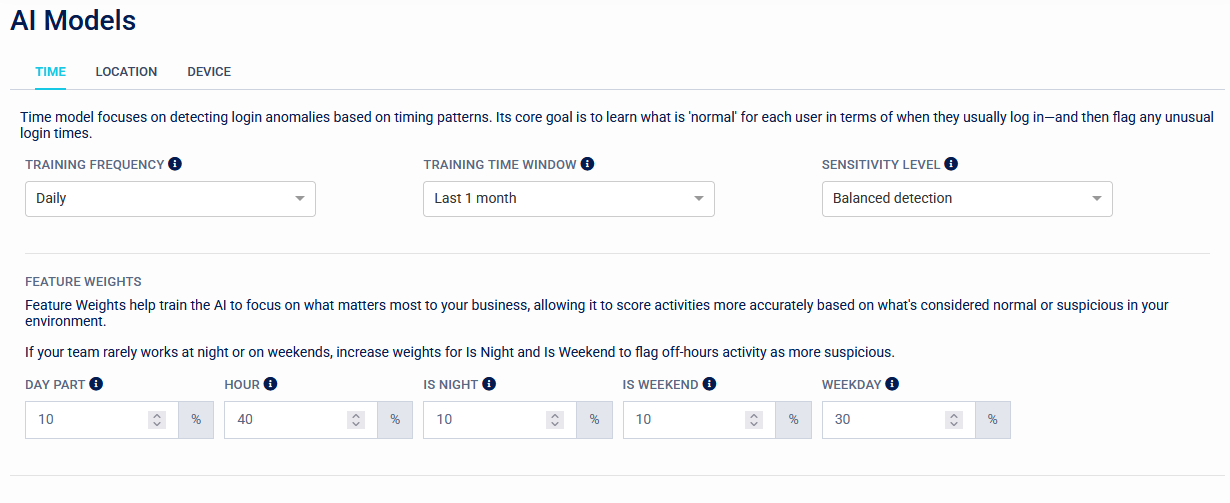
If logins during the night or weekend are unexpected in your organization, you can assign higher weights to 'Is Night' and 'Is Weekend'.
Location
The Location model learns the location from which each user usually authenticates. This is based on IP address and Geo-IP characteristics. The weights for this model are:
- Country: If users rarely move between countries this can be a useful weight to monitor.
- Region: Similar to Country.
- City: Less useful than Region or Country as there is more margin for error and more change of a user moving between cities.
- Autonomous System Number: A number assigned to large networks such as ISPs and other organisations that manage large pools of IPs.
- IP Address: The specific IP address of the authenticating device. Some ISPs dynamically assign IP addresses so this may change on a regular basis for some users.
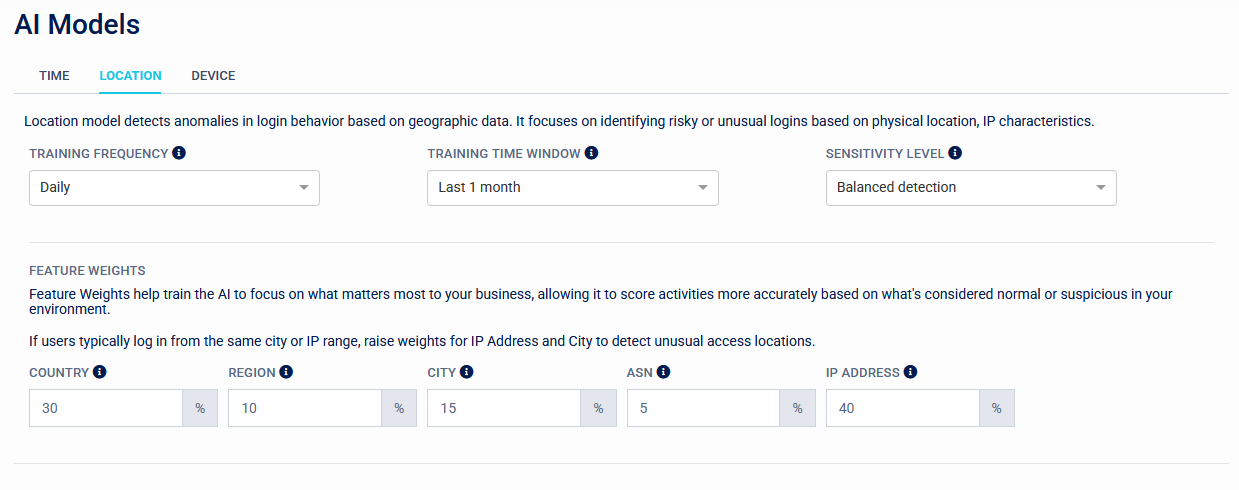
Assign higher values to factors of greater concern or risk (e.g., IP Address = 50 if IP monitoring is a priority)
Device
The Device model profiles attributes of the authenticating device, operating system, and browser to learn the expected profile. The weights for this model are:
- ASN: A number assigned to large networks such as ISPs and other organisations that manage large pools of IPs.
- Browser name: Web Browser used e.g. Chrome, Firefox, Safari.
- Browser version number.
- Device family: general type of device (e.g. desktop, mobile, or tablet).
- Headless: checks if the browser is running in headless mode, which helps to detect bots.
- OS: Checks the operating system running on the user's device, e.g. Windows, Linux, macOS, Android.
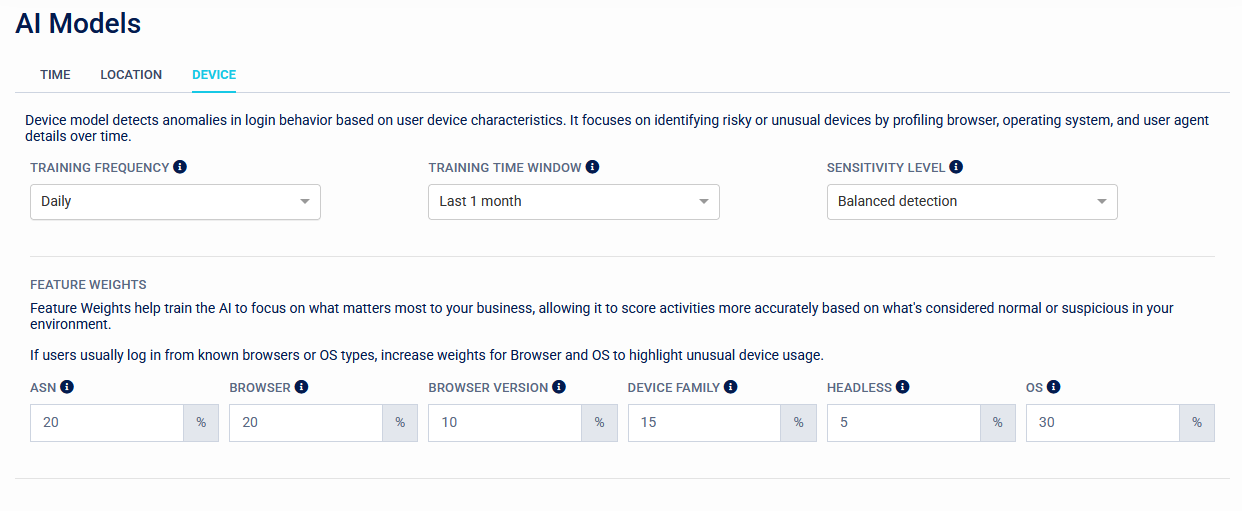
Assign a higher weight to Headless if detecting automated access is important.