Login Agents
Overview
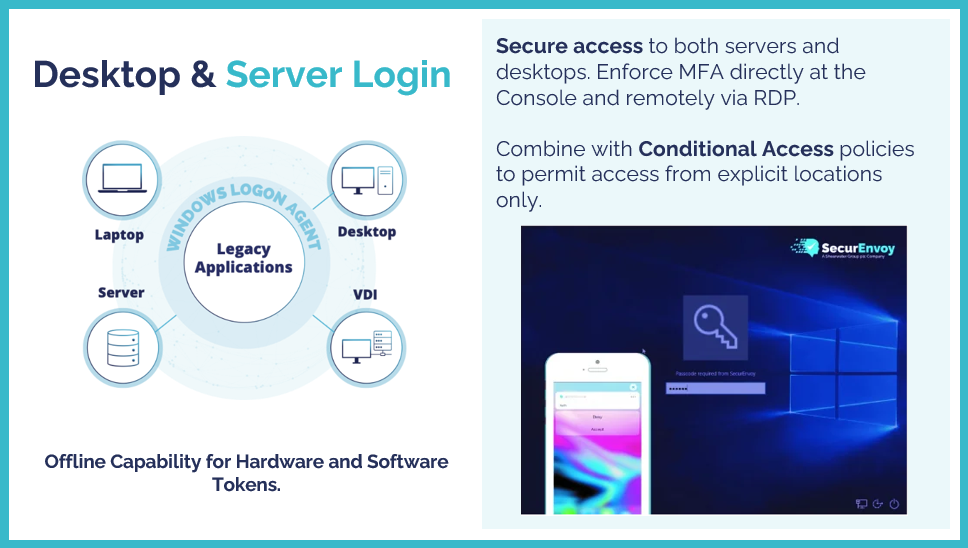
The Login Agents are available to provide organisations with an extra layer of protection at the server and desktop login screen. This is currently available for Windows based Servers and Desktops only.
Organisations can implement the Windows Login Agent onto Windows Servers and Desktops in order to prompt users for an extra step of authentication, based on what the user has configured in the SecurEnvoy Access Management Platform.
The SecurEnvoy Windows Login Agent allows for seamless integration into Windows machines by wrapping around the Microsoft Generic Credential Provider Filter.
Offline support and central management of Login Agents are just a couple of key features to what organisations can utilise to achieve the full benefits that the SecurEnvoy Windows Login Agent has to offer.
Updating clients and servers that run the Windows Login Agent is a seamless task for Administrators, with the central updating via the Windows Login Agent Update Service, managed centrally in the Administration Console.
The Windows Login Agent allows organisations to be flexible in how to protect clients and servers, allowing separation of Console Protection and Remote Desktop (RDP) Protection. Organisations can also specify if protection of the Logon UI and/or Lock screen UI is required.
SecurEnvoy adopt the Microsoft Active Support lifecycle for Windows OS Support. If Microsoft still have active support on the OS that organisations wish to use, then SecurEnvoy will also support this.
SecurEnvoy Windows Login Agent requires users to log in with their password as the first factor. This is because of the architectural foundations of the login agent having a reliance on the Microsoft Generic Credential Provider Filter for the 1st step of authentication.