Organisation
The Organisation page is broken in two key parts:
- Details
- Theme
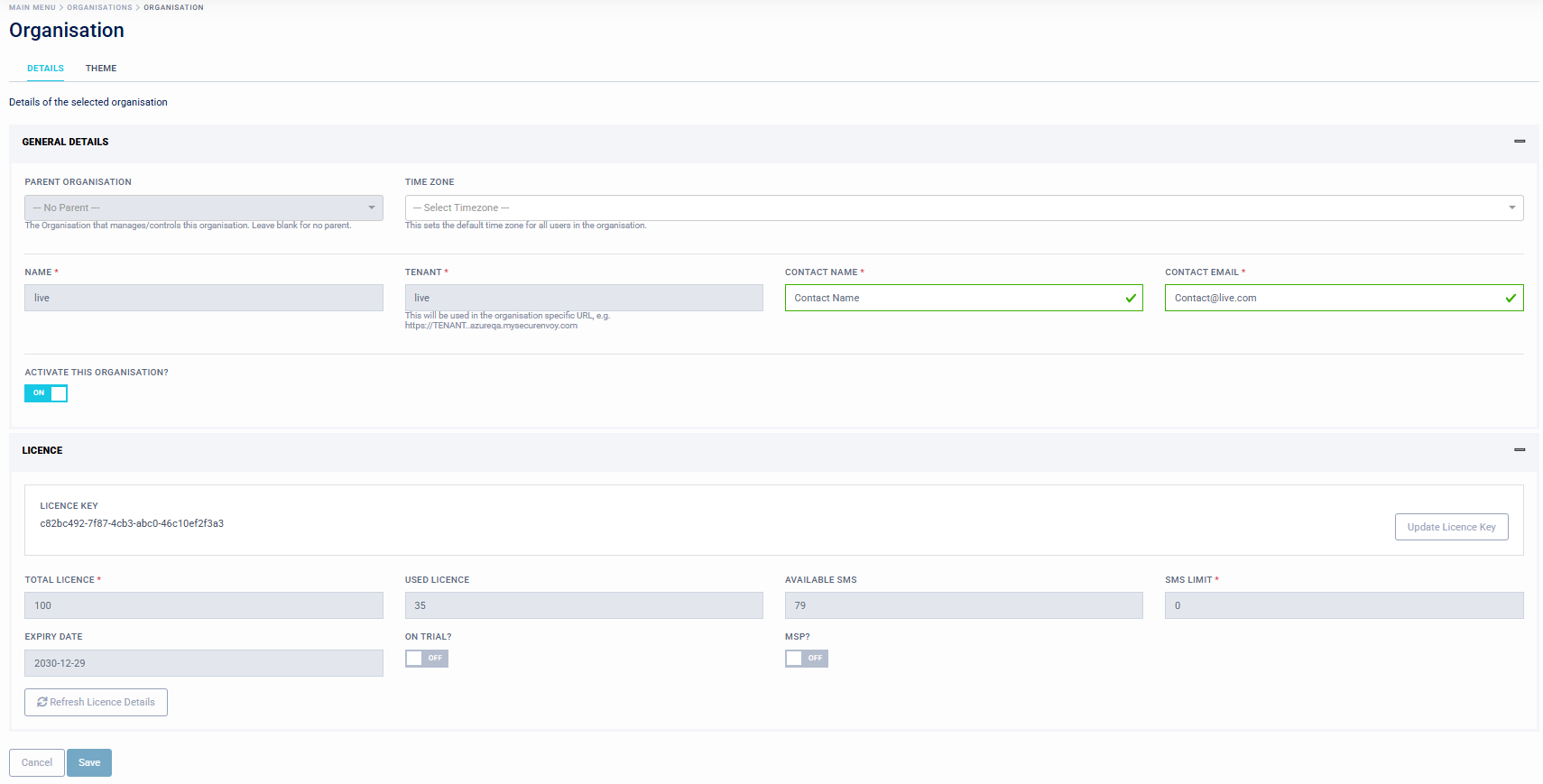
Details
Details General
Within the main dashboard menu "Organisation" - "Details", this will display base parameters about the organisation.
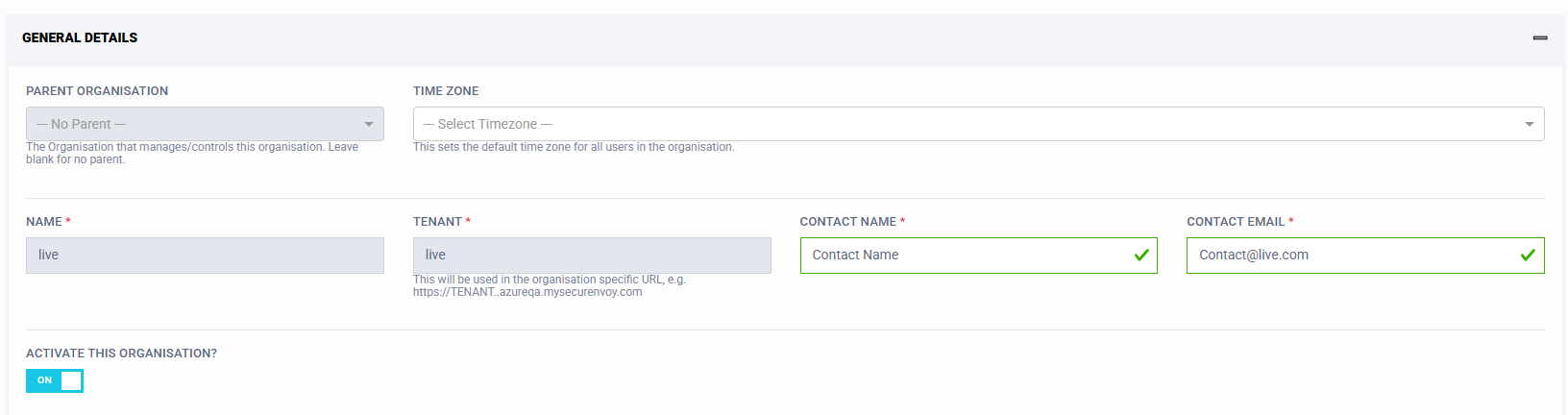
These include:
- Parent Organisation (If a Parent is assigned to manage this tenant, this is displayed here. This if for MSP management)
- TimeZone (This is the default timezone assigned to users. Users can select their relevant timezone in their profile page, this is used for timestamps throughout the platform)
- Name (Name of Company, not user editable) Setup at customer onboarding
- Tenant (Name of Tenant, not user editable) Setup at customer onboarding
- Contact Name (Name of main tenant contact)
- Contact Email (Email of main tenant contact)
- Activate this Organisation (On/Off, not user editable, for Super Admins and MSP Admins only)
License
Within the main dashboard menu "Organisation" - "License", this will display parameters about the organisation license status.
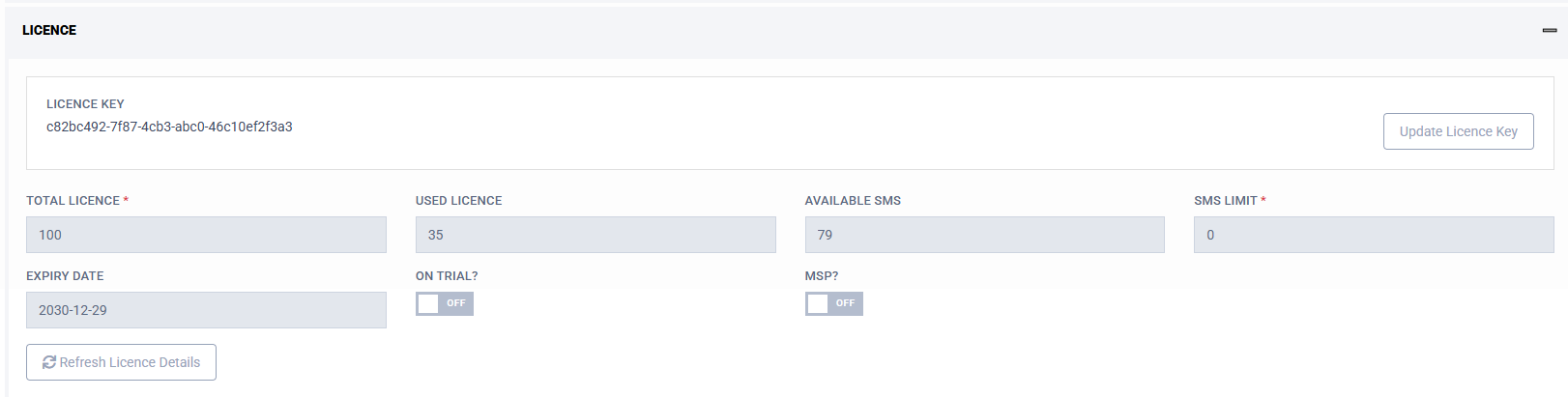
These include:
- License Key (Displays current license key)
- Update License Key (Input new license file or key)
- Total License (Total licenses assigned to this tenant, not user editable)
- Used License (Total of licenses in use on this tenant, not user editable)
- Available SMS (Number of available SMS, not user editable)
- SMS Limit (Number of assigned SMS, not user editable)
- Expiry Date (License expiry date, not user editable)
- On Trial (On/Off) (If Tenant is a Trial, not user editable)
- MSP (On/Off) (If Tenant is a MSP, not user editable)
Theme
Within the main dashboard menu "Organisation" - "Theme", this will display any custom logo or images including "favicons", as well as any bespoke colours. This allows Tenant Admins to produce a customised "look and feel" to administration and end user logon pages.
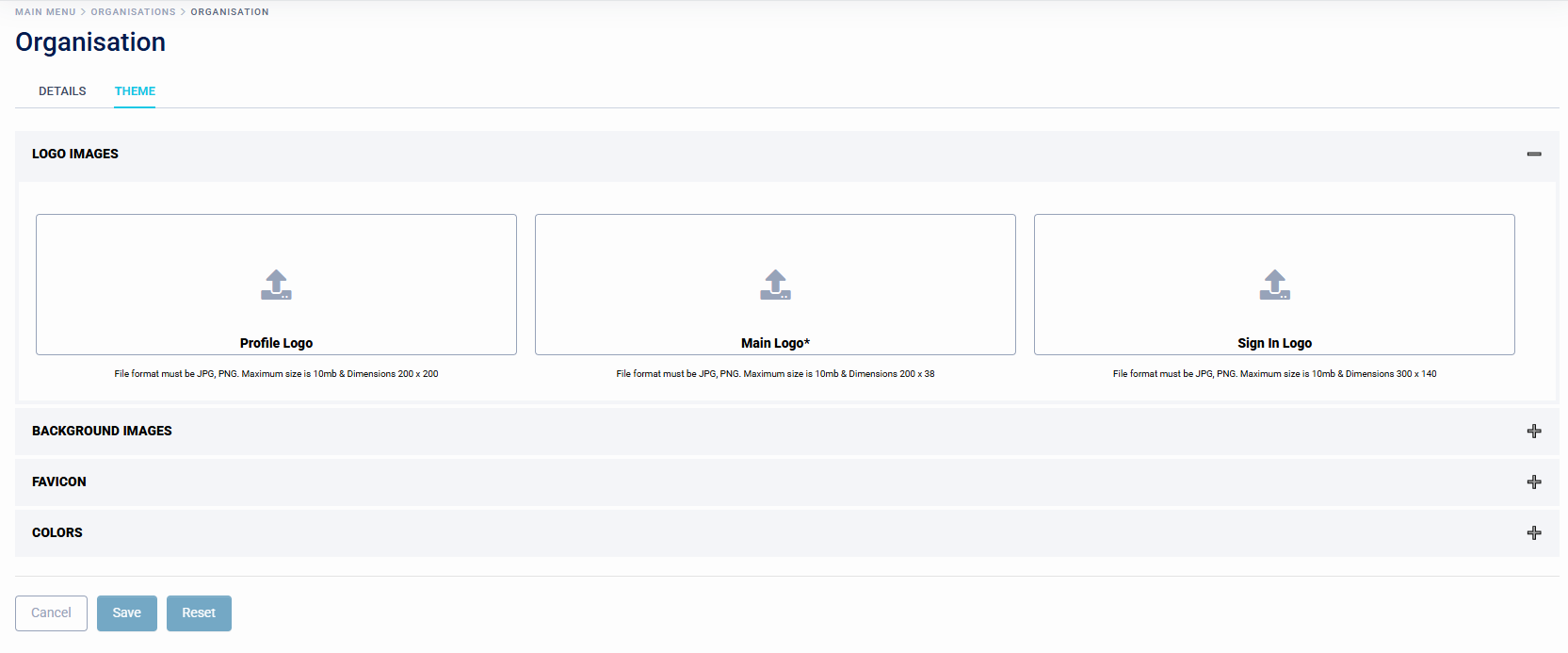
These include:
- Logo Images
- Background Images
- Favicon
- Colours
This is also reference in the main dashboard under "Setup - Local Theme".