Organisation
The Organisation page is broken in three key parts:
- Details
- Licence
- Theme
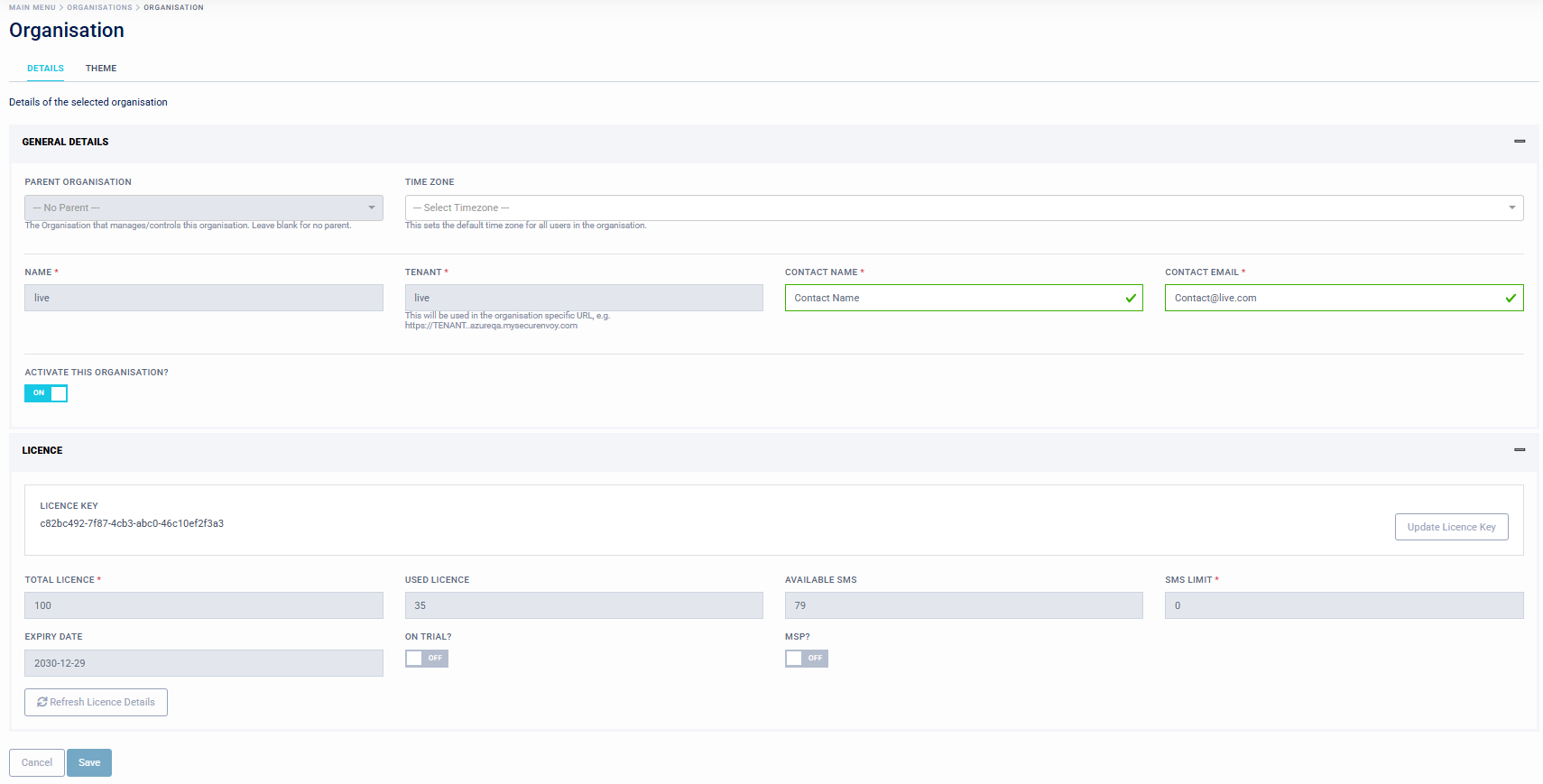
Details
The Details tab displays base parameters about the organisation.
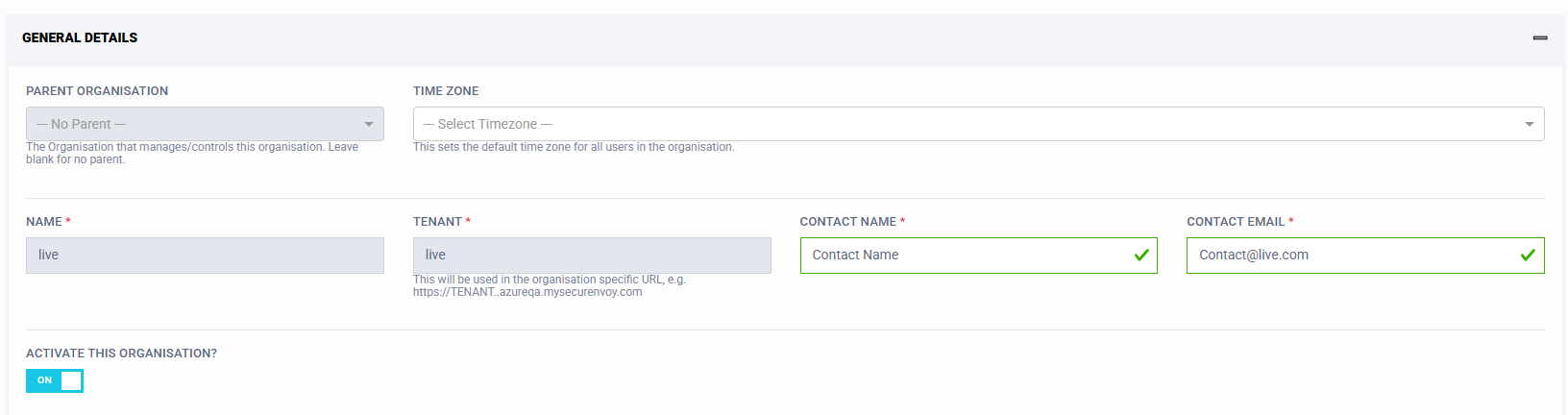
These include:
- Parent Organisation (If a Parent is assigned to manage this tenant, this is displayed here. This if for MSP management)
- TimeZone (This is the default timezone assigned to users. Users can select their relevant timezone in their profile page, this is used for timestamps throughout the platform)
- Name (Name of Company, not user editable) Setup at customer onboarding
- Tenant (Name of Tenant, not user editable) Setup at customer onboarding
- Contact Name (Name of main tenant contact)
- Contact Email (Email of main tenant contact)
- Activate this Organisation (On/Off, not user editable, for Super Admins and MSP Admins only)
License
The License tab displays parameters about the license applied to the tenant.
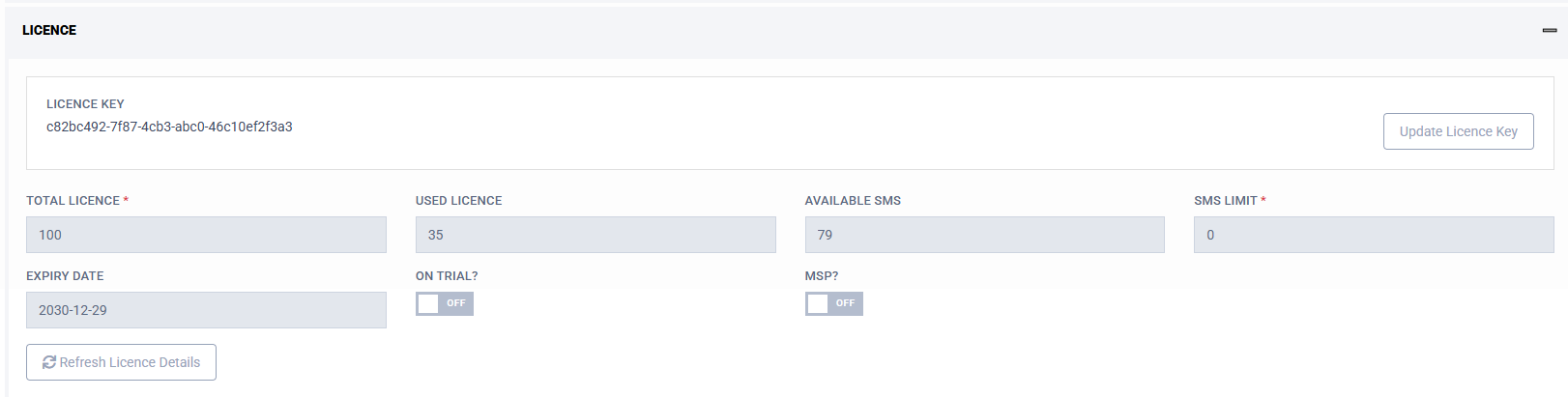
These include:
- License Key (Displays current license key)
- Update License Key (Input new license file or key)
- Total License (Total licenses assigned to this tenant, not user editable)
- Used License (Total of licenses in use on this tenant, not user editable)
- Available SMS (Number of available SMS, not user editable)
- SMS Limit (Number of assigned SMS, not user editable)
- Expiry Date (License expiry date, not user editable)
- On Trial (On/Off) (If Tenant is a Trial, not user editable)
- MSP (On/Off) (If Tenant is a MSP, not user editable)
Theme
The Theme tab displays allows customising the images and colours used throughout Access Management to produce a customised look and feel to administration and end user logon pages. Customisations made on this page will be inherited by child tenants unless a Local Theme is set on the Setup > Local Theme page.
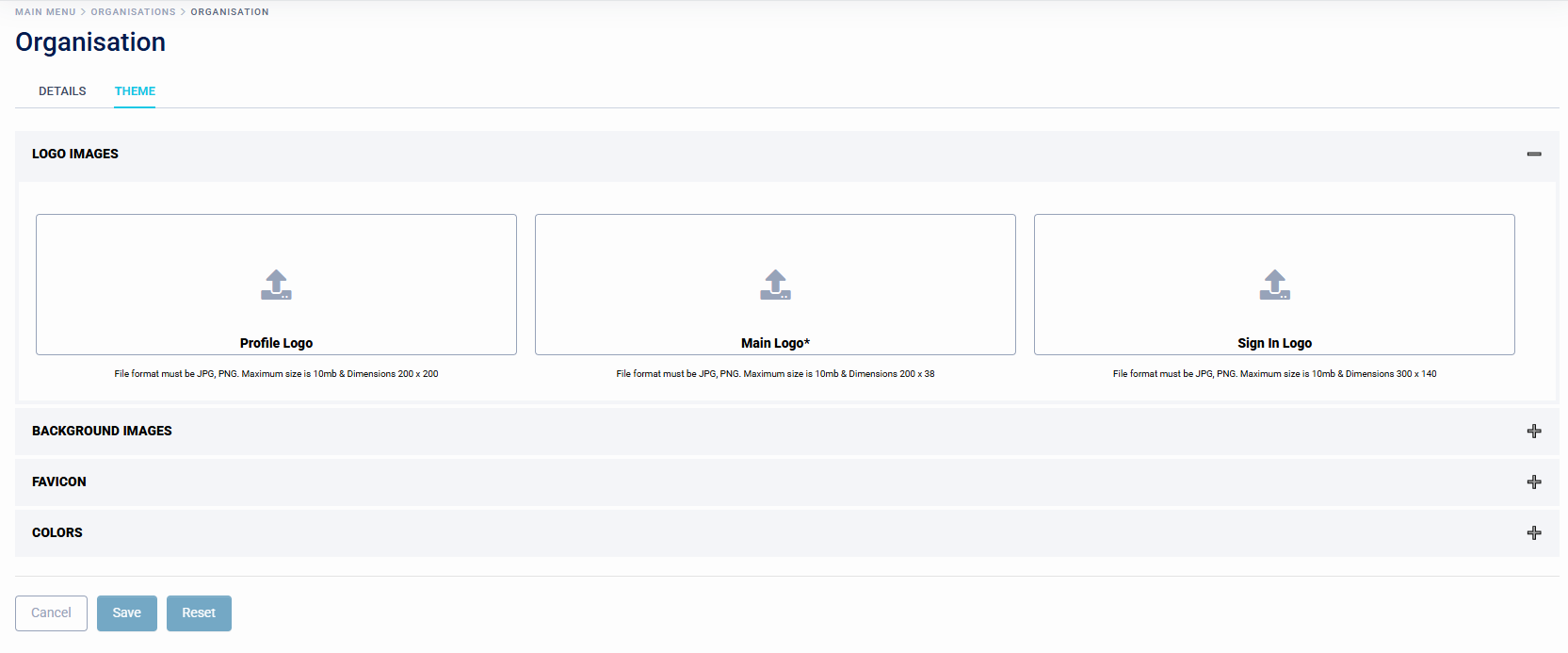
These include:
- Logo Images
- Background Images
- Favicon
- Colours