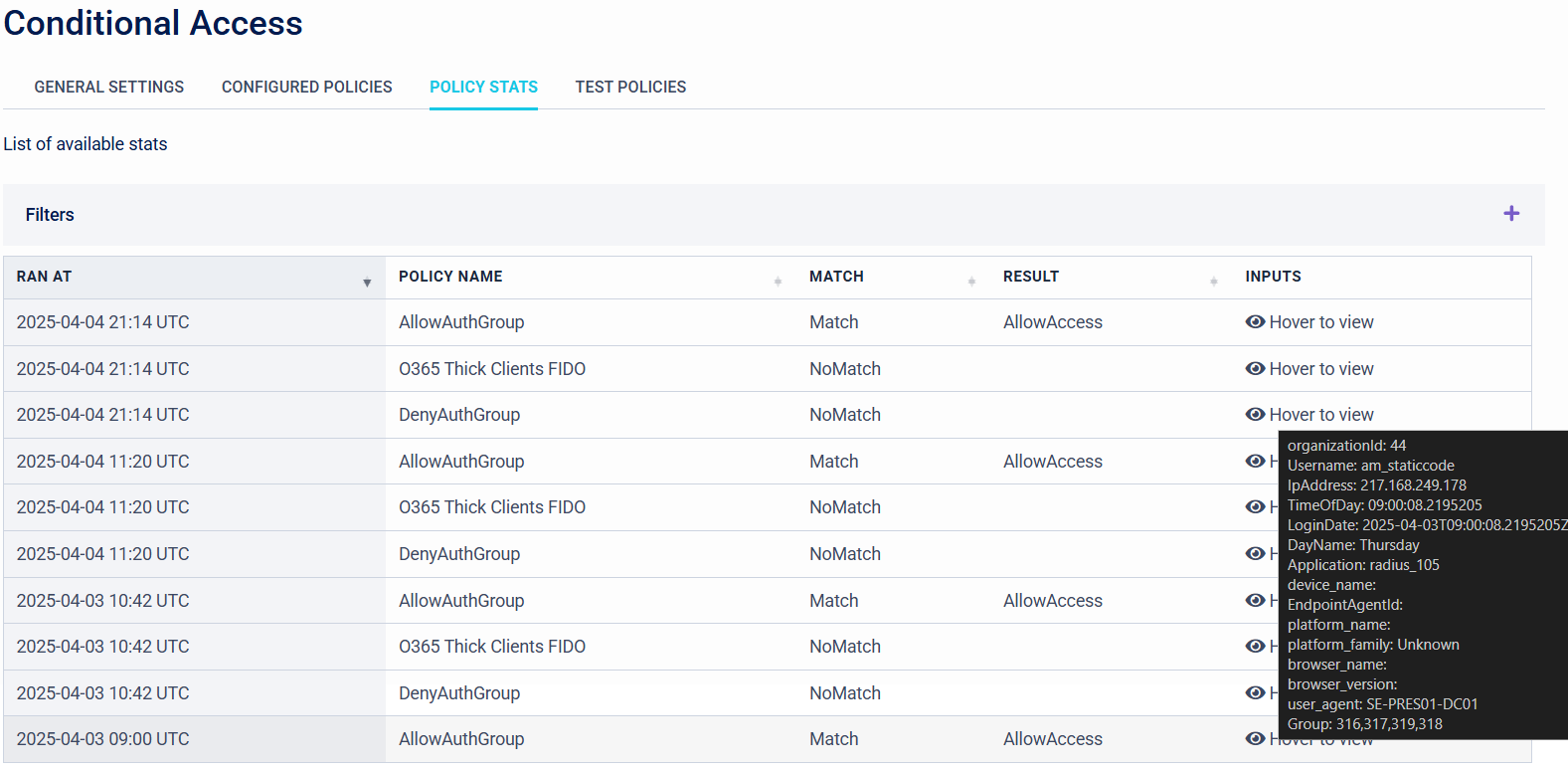
Policy Stats
Overview
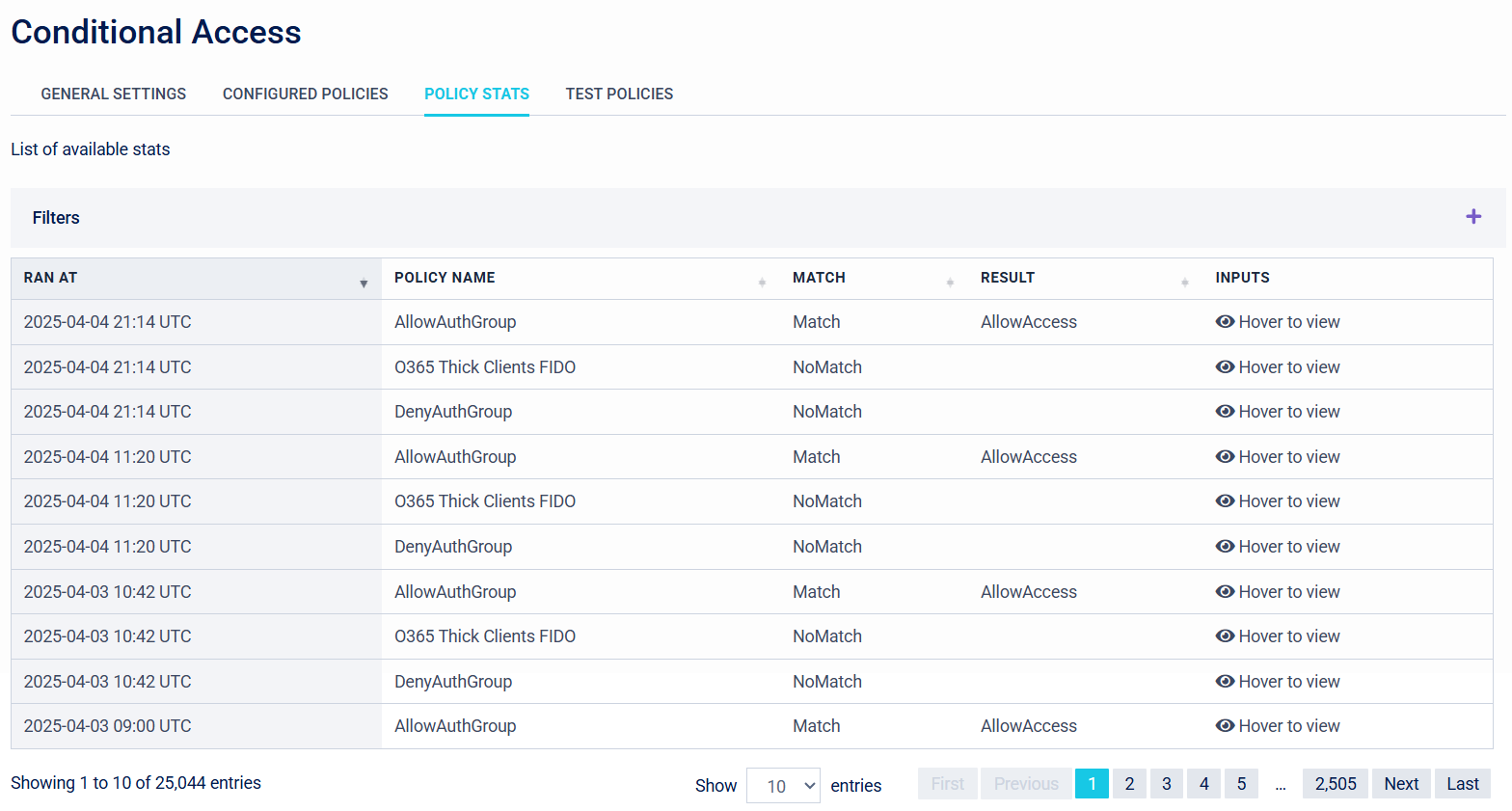
Organisations can use the Policy Stats tab to view the triggered Conditional Access Policies and the input details on each entry.
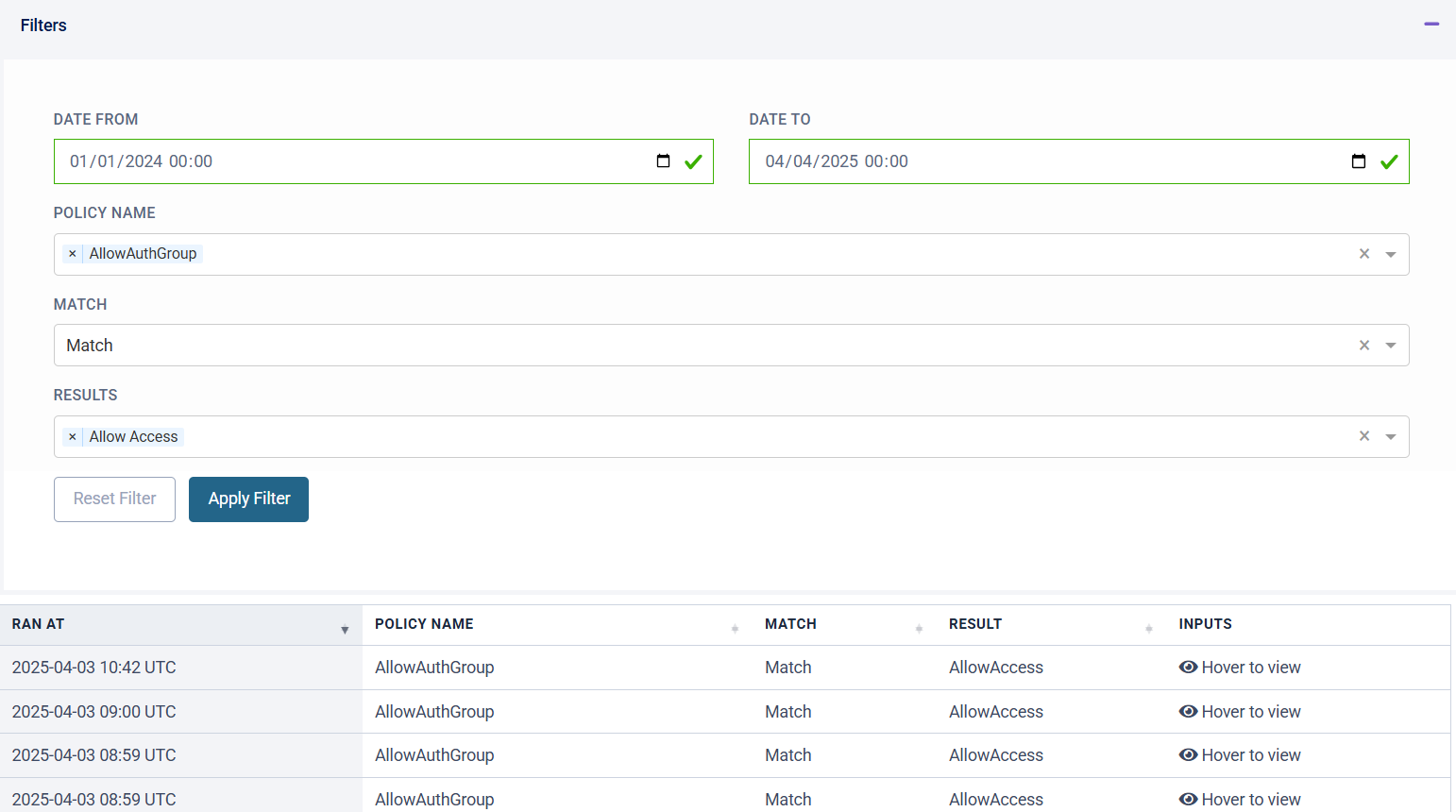
Filter
There are also filtering capabilities for Organisations to narrow down the desired policy entries that need to be viewed.
Inputs (Hover to View)
Organisations can hover over each Conditional Access Policy Stat entry in the Policy Stats tab, to see additional information about the authentication scenario.