Configuration
The Configuration page has settings that are global for all synchronised integrations.
API Keys
API Keys are needed in the installation of the Single Agents and Login Agents.
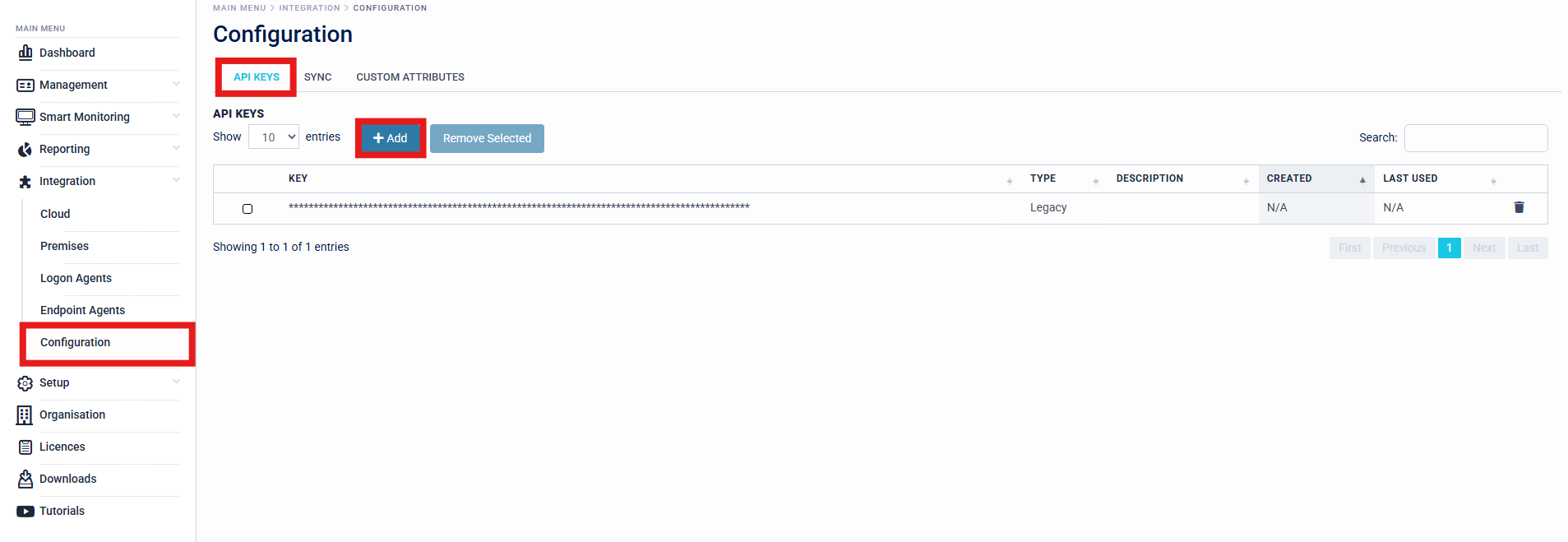
SecurEnvoy recommends that organisations create a separate API Key for each agent usage, for example - creating a separate API Key for the Organisations SingleAgent for LDAP Connectivity, and a separate API Key for the Organisations Windows Login Agents.
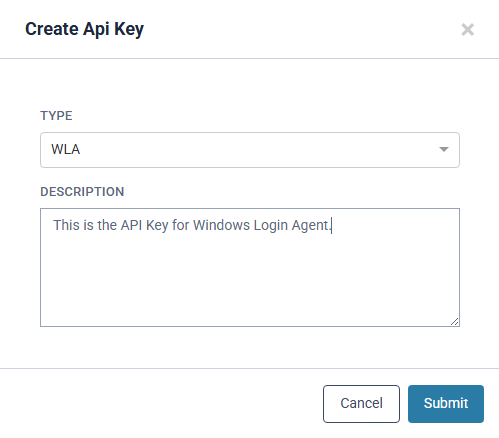
Click 'Add' to bring up the API Key creation page. This will allow you to select the application type for the API Key (Single Agent, Windows Login Agent, etc.) and prompt you to save the key to a safe place.
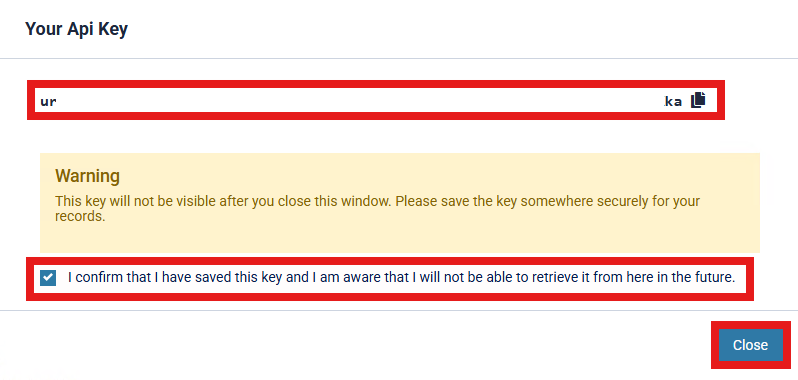
Organisations are required to back up and save any API keys that are generated, as they cannot be recovered once the prompt is closed. If an API key is lost and cannot be retrieved, a new key will need to be generated and rolled out. It is therefore essential that these keys are securely backed up.
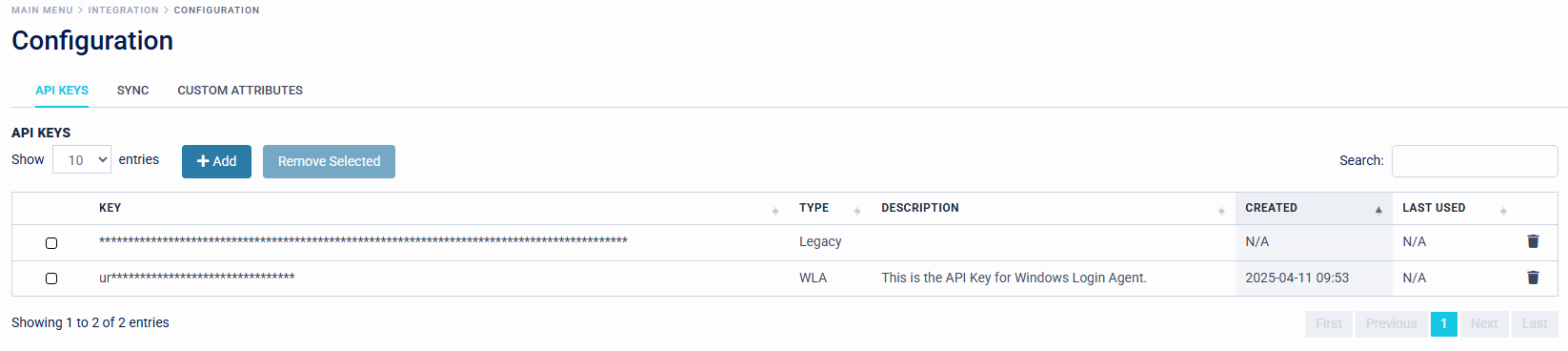
API Keys will be displayed in the Access Management Platform with "Type", "Description", "Created", and "Last Used" Information, to give Organisation Administrators an efficient view of API Key's in rotation across the estate.
Sync
These settings allow for automatic or bulk sending of enrolment emails to syncronised users. This can be useful for allowing users to configure their own MFA enrolment.
Custom Attributes
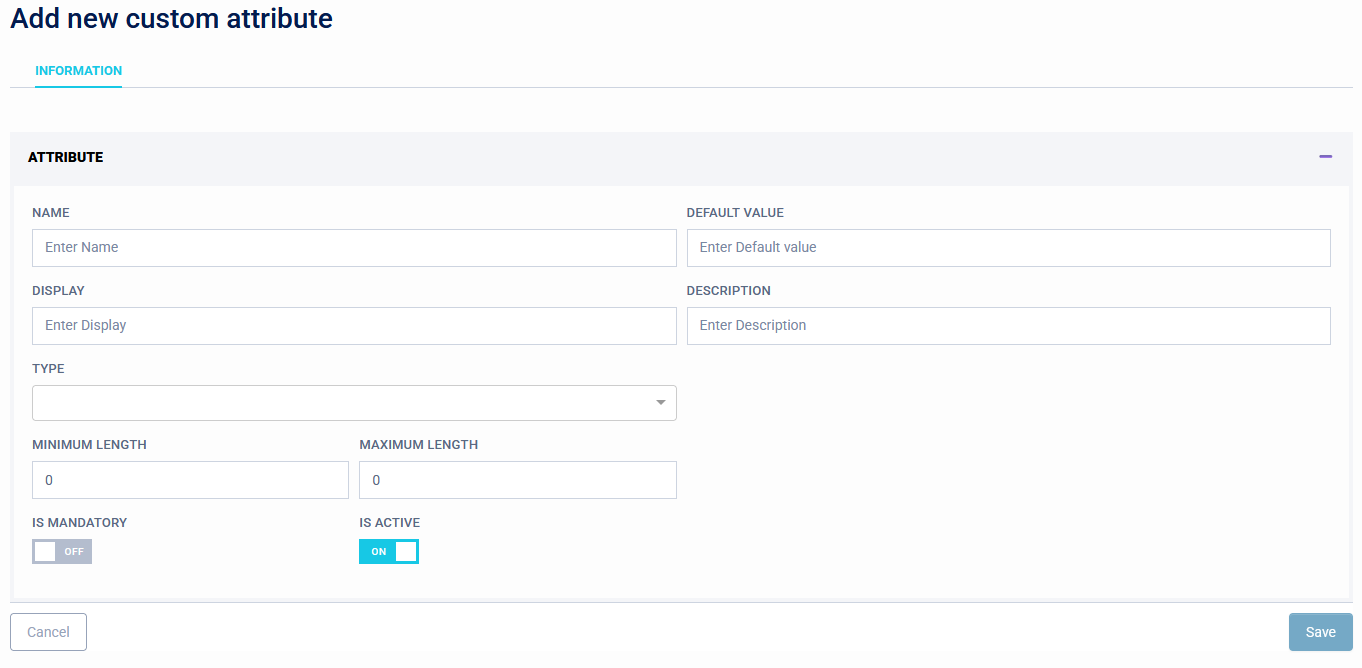
Custm attributes can be created to allow new data fields in the User page. These attributes will only exist in Access Management and will not be synchronised, so do not require modifying any directory schema.